Halyk Finance2.0.0.20
Publisher Description
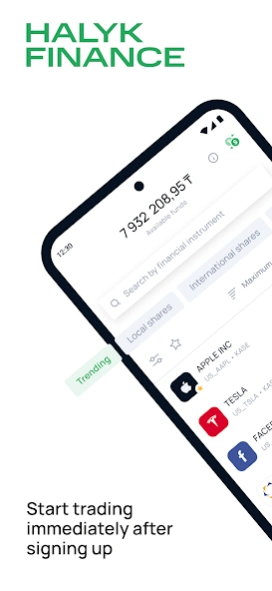
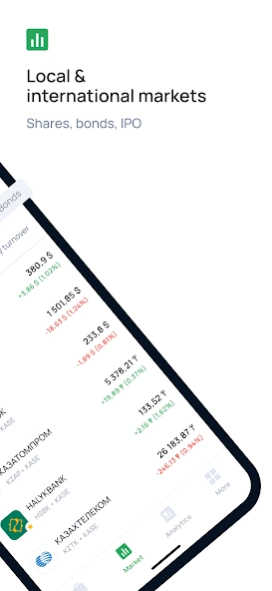
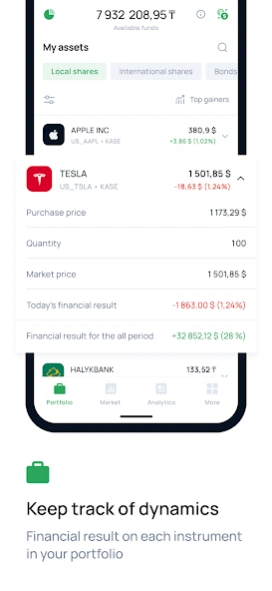
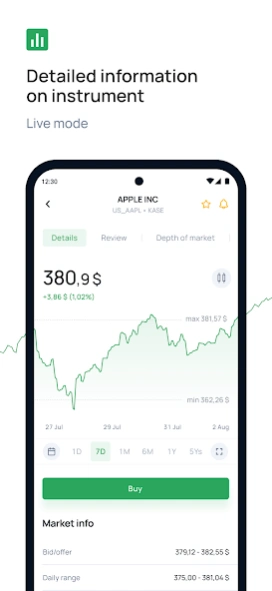
Official investment app of Halyk Finance. Participate in KazMunayGas IPO!
An investments application from Halyk Finance, subsidiary of Halyk Bank Kazakhstan, the leading financial group and the leading retail bank in Kazakhstan with the most extensive customer base and distribution network. The application functionality includes onboarding and online opening of brokerage accounts in Halyk Finance JSC, securities trading on stock exchanges, such as KASE, AIX, NYSE, LSE, brokerage account refill through acquiring system and withdrawal of funds to the personal bank accounts. The App provides you also the opportunity to participate in KazMunayGas IPO. Halyk Finance application provides access to online trading of equities (incl. their ADRs and GDRs) and bonds of leading Kazakhstani and international companies from different sectors of economics. This application gives possibility to sell and buy of ETFs of bonds and equities. The application also delivers actual news of stock markets and top-ranked analytics from Research team of Halyk Finance JSC and third-party providers. Trading through Halyk Finance application is secured by complex of measures, incl. biometric identification of potential customers, Face or/and Touch ID for access to the application, use of OTP-codes to confirm trading operations.
About Halyk Finance
The company that develops Halyk Finance is JSC «Halyk Finance». The latest version released by its developer is 2.0.0.20.
To install Halyk Finance on your Android device, just click the green Continue To App button above to start the installation process. The app is listed on our website since 2026-09-17 and was downloaded 2 times. We have already checked if the download link is safe, however for your own protection we recommend that you scan the downloaded app with your antivirus. Your antivirus may detect the Halyk Finance as malware as malware if the download link to kz.halykbank.hf is broken.
How to install Halyk Finance on your Android device:
- Click on the Continue To App button on our website. This will redirect you to Google Play.
- Once the Halyk Finance is shown in the Google Play listing of your Android device, you can start its download and installation. Tap on the Install button located below the search bar and to the right of the app icon.
- A pop-up window with the permissions required by Halyk Finance will be shown. Click on Accept to continue the process.
- Halyk Finance will be downloaded onto your device, displaying a progress. Once the download completes, the installation will start and you'll get a notification after the installation is finished.
Program Details
System requirements
Download information
Pricing
Version History
version 2.0.0.20
posted on 2026-09-17
• Added a dedicated flow for confirming a new trusted device.
• Bond redemption and funds crediting statuses are displayed separately.
version 2.0.0.18
posted on 2026-09-08
• Expanded information about bonds in the portfolio.
• Added a “Tax Declaration” section and a video guide.
• You can now add and edit your e-mail address and address in your profile.
version 2.0.0.17
posted on 2026-08-31
A CES-based survey has been added to assess the ease of using the app. Selected interface elements have been improved, bugs have been fixed, and overall app stability has been enhanced.
version 2.0.0.16
posted on 2026-08-07
Bug fixes and performance improvements.
version 2.0.0.12
posted on 2026-07-22
Islamic financial instruments are now available in the App
Securities that comply with Sharia principles are now grouped in a separate section of the app and clearly marked with a special label. This enables investors to easily identify eligible instruments and build portfolios in line with the principles of Islamic finance.
version 2.0.0.7
posted on 2026-05-21
Some internal app services are debugged
version 1.1.1.54
posted on 2026-02-10
Some bugs fixed
version 1.1.1.46
posted on 2025-08-20
Bug fixes
version 1.1.1.14
posted on 2024-12-05
• Authorization via Halyk ID is available
• My assets section view is changed (securities are displayed as a single list and by exchange)
• Financial result view is changed
• Filter by the status of operations in History section is added
• Conversion option for funds on the INTL is available separately
• Some bugs are fixed
version 1.1.0.95
posted on 2024-09-13
Top-up via e-pay is disabled.
Report for 250.00 tax form is available.
